
On November 13, a routine upgrade to the Federal Aviation Administration (FAA) communications network led to a nationwide ground stop. The takeaway, for anyone running critical infrastructure that mixes legacy and new equipment, is that the riskiest part of modernizing is often the upgrade itself.
What we know about the FAA ground stop
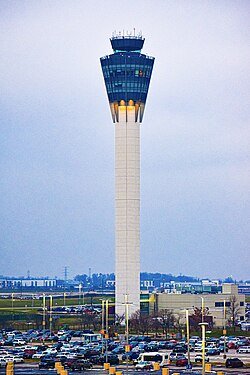
The Indianapolis International Airport, FAA air traffic control tower. Photo by AVA Navigator, Wikimedia Commons, CC BY-SA 4.0.
According to FedScoop's reporting, a contractor was moving part of the FAA's network from copper lines to fiber at a remote location. Transportation Secretary Sean Duffy said a router "being replaced as we switched from copper to fiber started flooding other routers," making more than 1,000 connection attempts every few seconds. Communications at air traffic control centers across the country became unstable. So the FAA stopped departures nationwide for more than four hours, and about 12,000 flights didn't operate that day.
Two details matter for operators of legacy systems. First, FAA Administrator Bryan Bedford said the team spent about 45 minutes trying to find the source of the problem, in part because maintenance work is logged manually. Second, days later, the root cause is still unknown.
The FAA's legacy challenges are also well documented. In 2025, the Government Accountability Office (GAO) reported that the FAA rated 51 of its 138 air traffic control systems as unsustainable and another 54 as potentially unsustainable, with fixes for the most concerning systems at least six to ten years away.
Why the upgrade is the riskiest part
Old systems often run for years without trouble because nothing around them changes. But during an upgrade, legacy and modernized equipment run side by side, connected in ways neither was originally designed for. A change at one site can behave differently than expected and have cascading effects across the system.
For example, a typical energy or industrial site might have controllers installed decades ago, a newer historian, battery systems from one vendor and generators from another, all pieced together over networks incrementally. Every modernization project, from swapping a controller to adding remote monitoring, touches that mix.
That doesn't mean you should put upgrades off. Waiting has its own risks. The goal is to upgrade in a way that keeps one change from becoming everyone's problem.
Four lessons for modernizing legacy industrial systems
1. Know what's connected before you change anything
You cannot plan a safe upgrade around equipment you cannot see. Before any change, you need a current picture of what's on the network, how each piece connects, and what depends on what.
That visibility is key when something goes wrong. The FAA's 45-minute search shows how much manual records can slow that down.
2. Upgrade in phases, not all at once
Changing one site, line or subsystem at a time limits how far a problem can spread and makes it easier to tell what caused it. Start with the systems that carry the most lifecycle risk or production impact, and finish each step before starting the next. Each cutover should come with a rollback plan, so you can return to a safe state quickly if something behaves unexpectedly.
3. Test alongside the old system before you switch
Where you can, build and test the new setup in parallel with the system it's replacing, then switch over during a planned window. Running both side by side gives you a chance to catch problems while the old system is still doing its job.
4. Keep new data tools from adding load to your control network
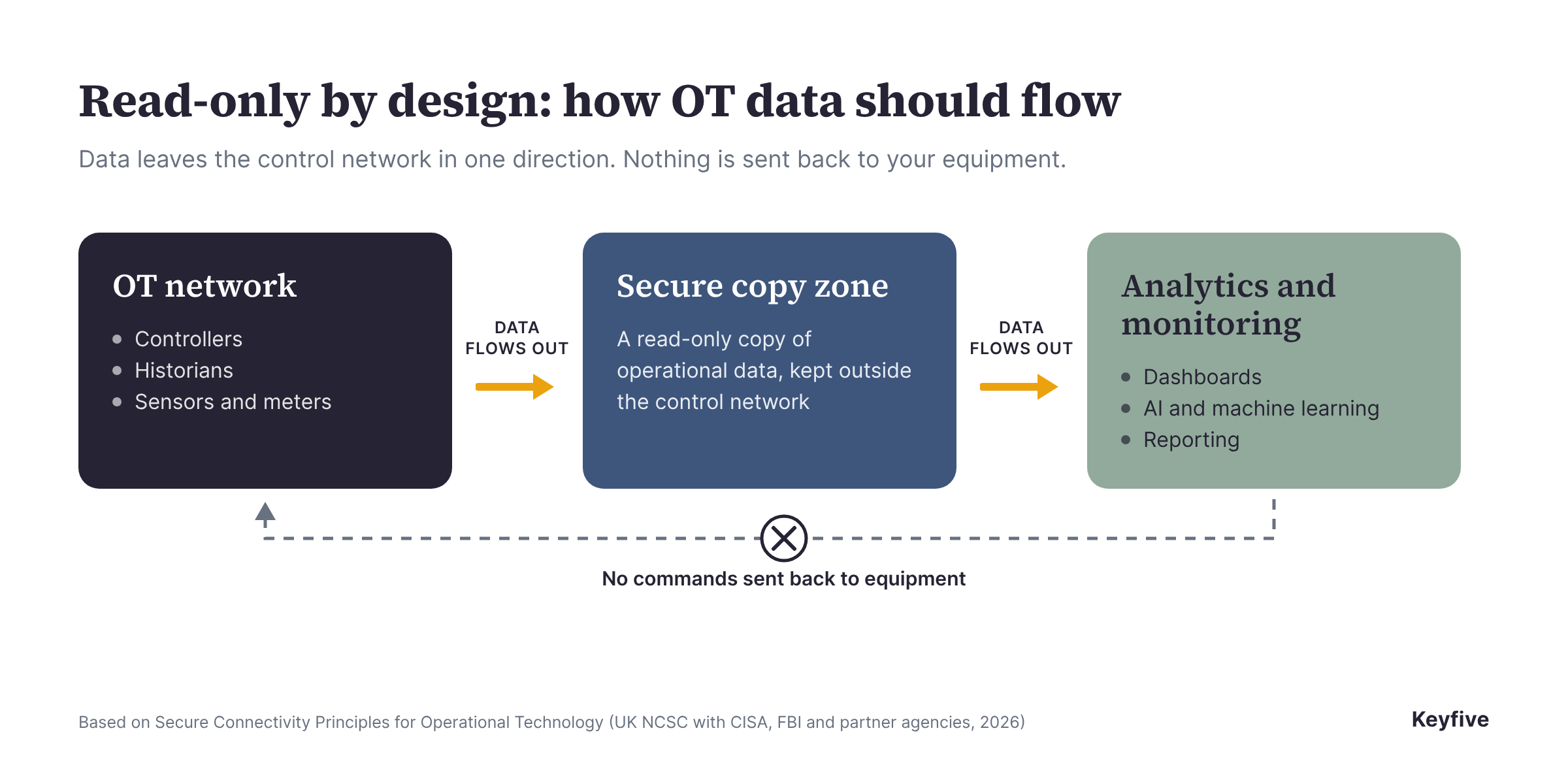
Monitoring and analytics tools add traffic too, which is easy to overlook. The systems that run your equipment were rarely designed with extra data requests in mind, so how a new tool connects matters as much as what it does.
The safest approach is read-only, with connections that start inside the operational network and send data outward, so analytics never reach back into the equipment itself.

For help screening vendors for modernization projects, see 5 questions to ask an industrial software provider.
Modernizing without starting over
The FAA's final root cause may add to these lessons, but the broader point already holds: most operators can't replace everything at once, and they shouldn't have to. The safer path is to understand what you have, change it in careful steps, and add new tools in a way that never puts the systems running your equipment at risk.
Keyfive connects read-only to the equipment and systems you already run, so you can see your entire system's data clearly.
Not sure where your data stands? Take the free Data Readiness Check.
Planning a modernization project? Request a free, no-touch assessment.