
Connect Keyfive to your CMMS, service desk, and GIS.
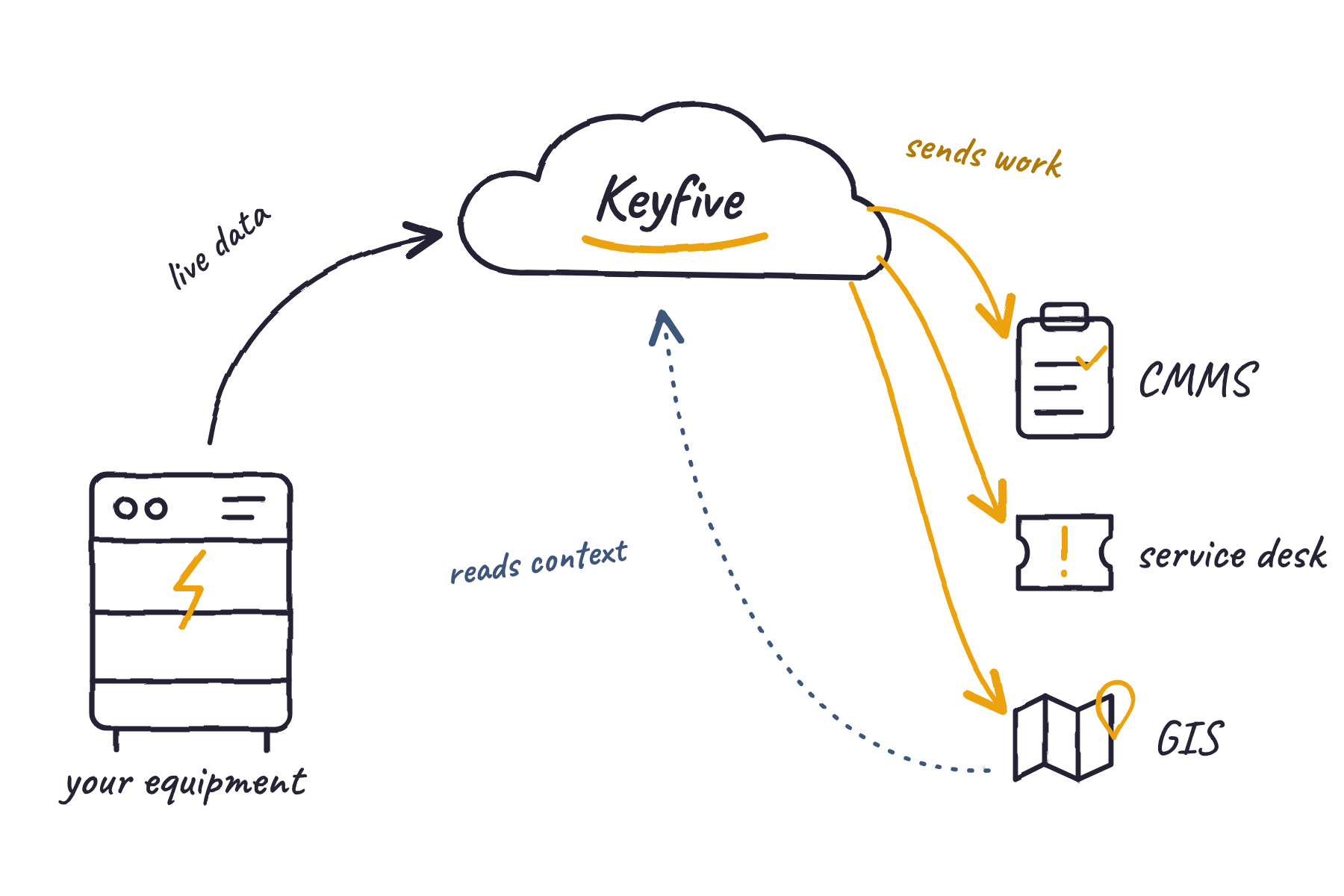
Keyfive can turn early warnings into work orders, incidents, and map layers in the tools your teams already use, with the evidence attached. Your systems stay the system of record.
How Keyfive connects to your systems.
Keyfive works alongside the maintenance, service, and mapping tools your teams already use. It reads the context it needs, like asset records and work history, and sends back only what you turn on, like work orders, incidents, and map layers.
Jump to: [CMMS and EAM] · [Service desk] · [GIS and network models]
CMMS and EAM integration
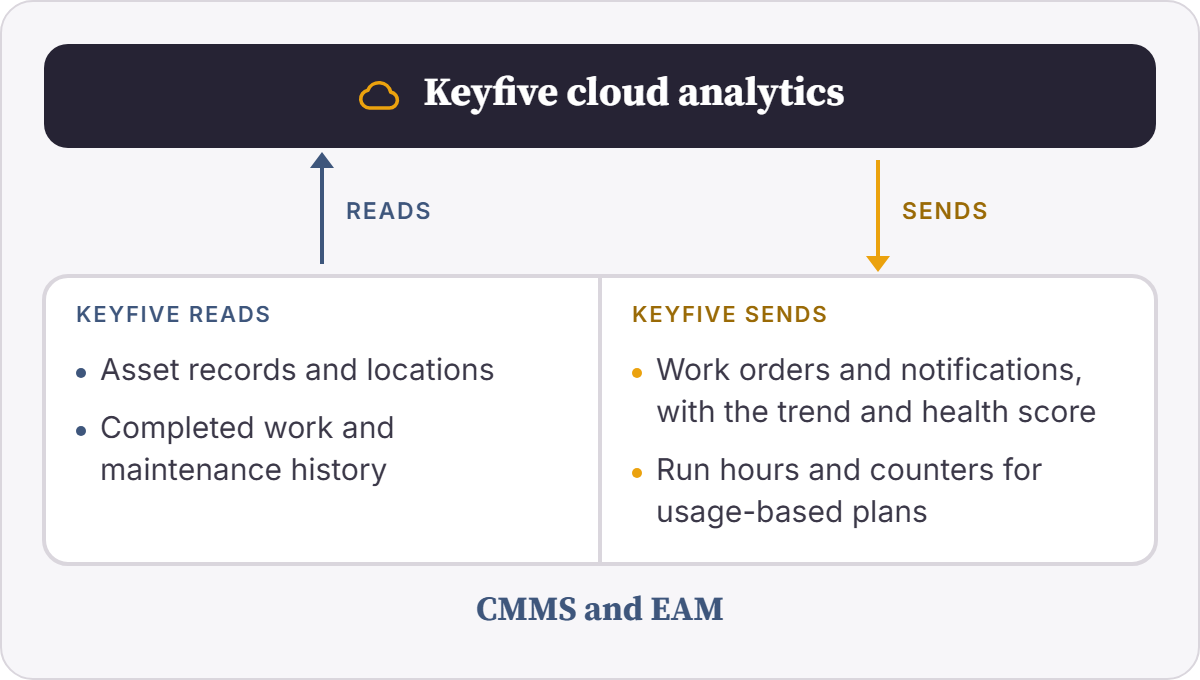
When Keyfive spots a problem, it can open a work order or maintenance notification against the right asset, with the trend and health score attached, so technicians arrive knowing what to look for. Keyfive also reads your maintenance history, so its analysis accounts for recent repairs, and posts run hours so usage-based plans trigger on time.
Common systems: IBM Maximo, including Maximo Application Suite, and SAP Plant Maintenance, including S/4HANA Asset Management
Service desk integration
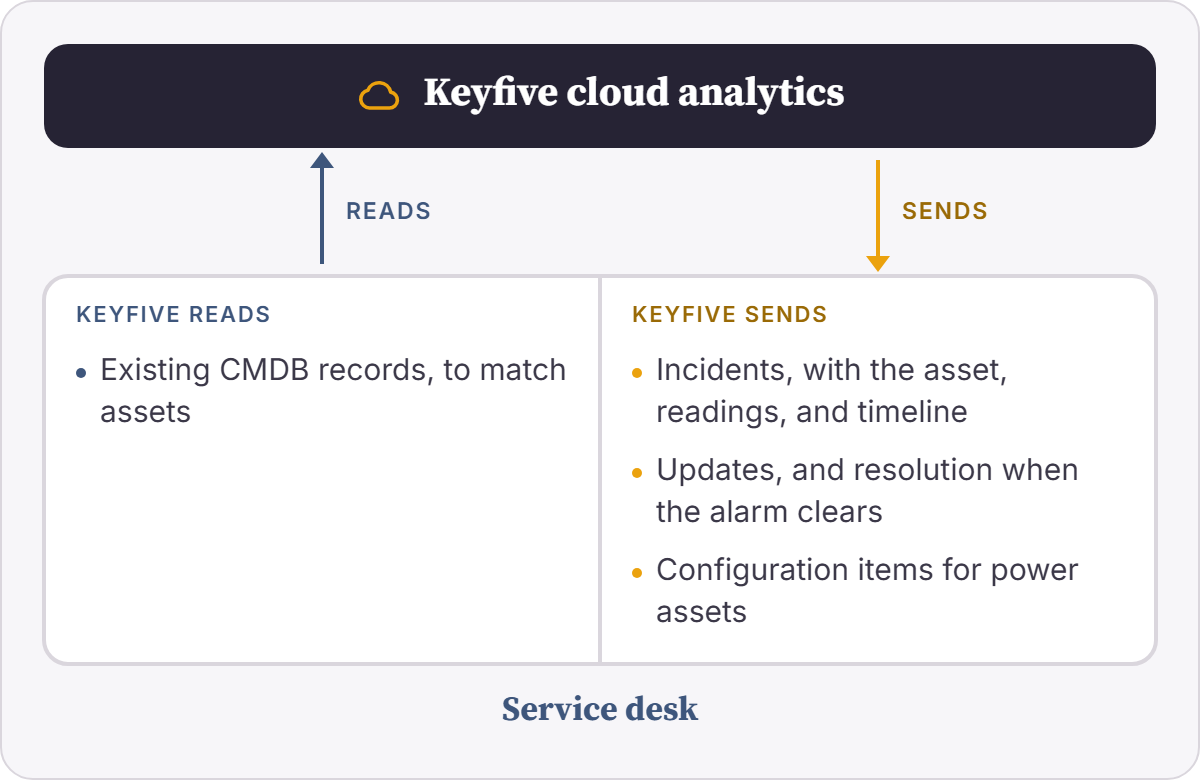
Keyfive can open a ServiceNow incident when a critical power alarm fires, assigned to the right group with the asset, readings, and timeline attached. It updates the incident as conditions change and resolves it when the alarm clears. You decide which severities open incidents, so nothing floods your queue.
Common systems: ServiceNow, including the CMDB
GIS and network model integration
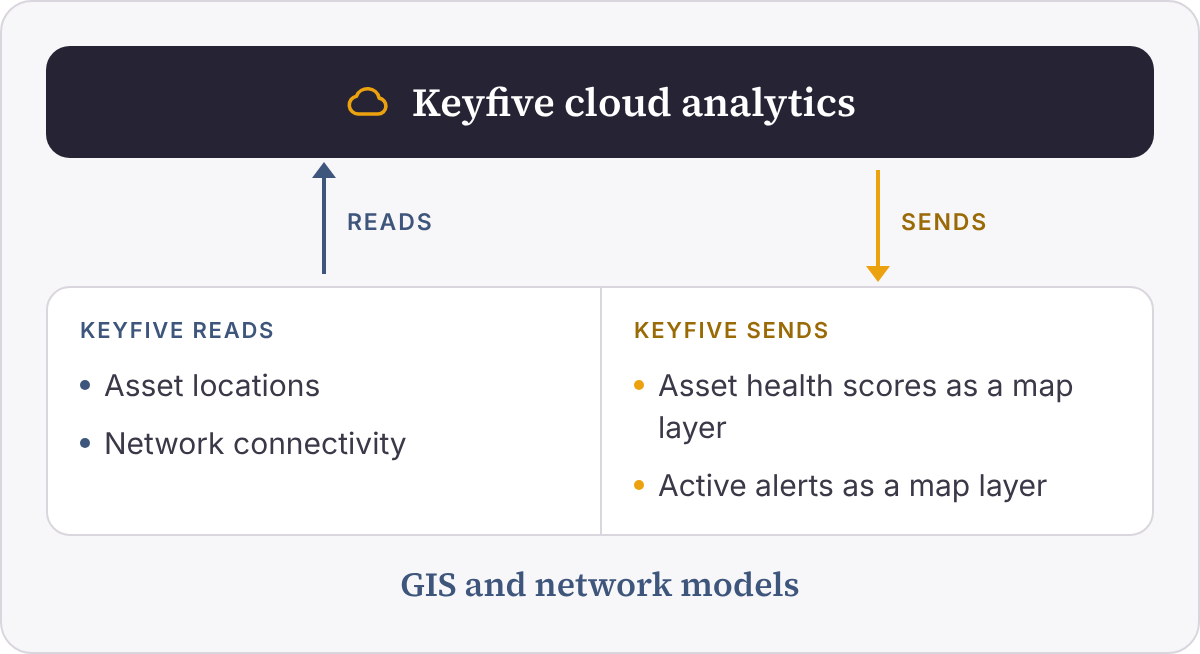
Keyfive can read asset locations and network connectivity from your GIS, then publish health scores and active alerts back as their own map layers, so planners and field crews see equipment condition where they already look. Your GIS data stays untouched, and access follows your existing sharing permissions.
Common systems: Esri ArcGIS, including ArcGIS Utility Network
Don’t see your system?
The systems above are common examples, not a complete list. Keyfive’s data architecture is flexible, so we can connect to the maintenance, service, and mapping tools you already run. If your system isn’t listed, we can scope a connection for it during onboarding.
What you get.
From alert to action
A finding becomes a work order, incident, or map alert without anyone retyping it.
Evidence with the work
Technicians arrive knowing what changed and what to look for.
The loop closes
Keyfive can check the asset is back to normal once the work is done.
EXAMPLE
What this could look like in practice.
Take a UPS battery string at a critical facility that runs a CMMS like IBM Maximo or SAP Plant Maintenance. Here’s how the same problem could play out with and without Keyfive connected.
| Without Keyfive | With Keyfive | |
|---|---|---|
| Spotting the problem | The battery string wears down between scheduled inspections, and any alarm sits in a separate vendor tool. | Keyfive can flag the rising resistance trend from your battery monitoring system before it becomes a failure. |
| Creating the work | Someone notices the alarm and types up a work order by hand. | A work order or notification opens in your CMMS against the right asset. |
| Sending the crew | The technician arrives with an alarm code and starts diagnosing on site. | The trend, readings, and likely cause are already attached. |
| Closing it out | The work order closes, and nobody checks whether the fix held. | Keyfive can check that the batteries are back within their normal range. |
Illustrative example. Your setup depends on the systems you run and the rules you choose.
Frequently Asked Questions
-
Only if you want it to. You decide which findings create work orders, notifications, or incidents, and which only notify.
-
Yes. You can start there and turn on automatic work orders and incidents once you trust the findings.
-
No. You decide which findings create work, which only notify, and how related alarms are grouped into one.
-
No. Keyfive reads from your GIS and publishes its own layers alongside your data. Access follows your existing ArcGIS sharing permissions.
-
We scope each connection to your environment during onboarding, whether you run Maximo Application Suite or an earlier Maximo release, SAP S/4HANA or ECC, or ArcGIS Enterprise or Online.
-
Keyfive can manage it for you, or your team can own parts of it with our support.
Find out what your operational data can do.
Tell us about your operation: a fleet you're trying to instrument, a compliance gap you're tired of patching, or an asset that costs you every time it goes down. We'll deliver a free assessment, providing a snapshot of how our engineers approach and solve problems like yours.
All product names are trademarks of their respective owners.