
Connect Keyfive to your historian, data warehouse, and BI tools.
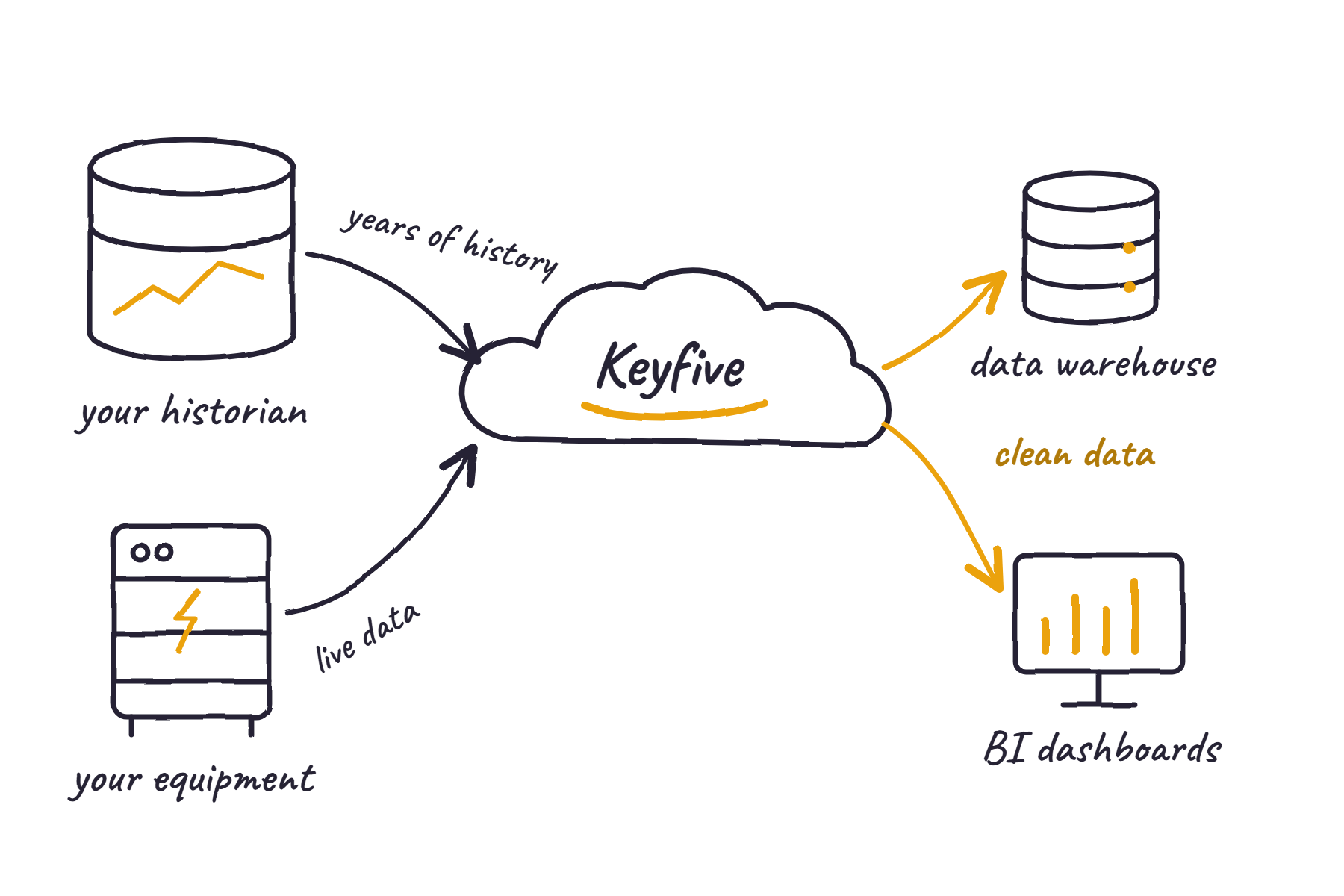
Keyfive can learn how your equipment normally runs from the data already in your historian. It can also send clean, time-aligned data to the warehouse and business intelligence (BI) tools your analysts use. Your historian stays the system of record.
How Keyfive connects to your systems.
Keyfive works alongside the historians, connectivity servers, and data warehouses you already run. It reads your operating history and asset structure, and it writes only to the databases and warehouses you approve.
Jump to: Historians and industrial data · Data warehouses and BI
Historian and industrial data integration
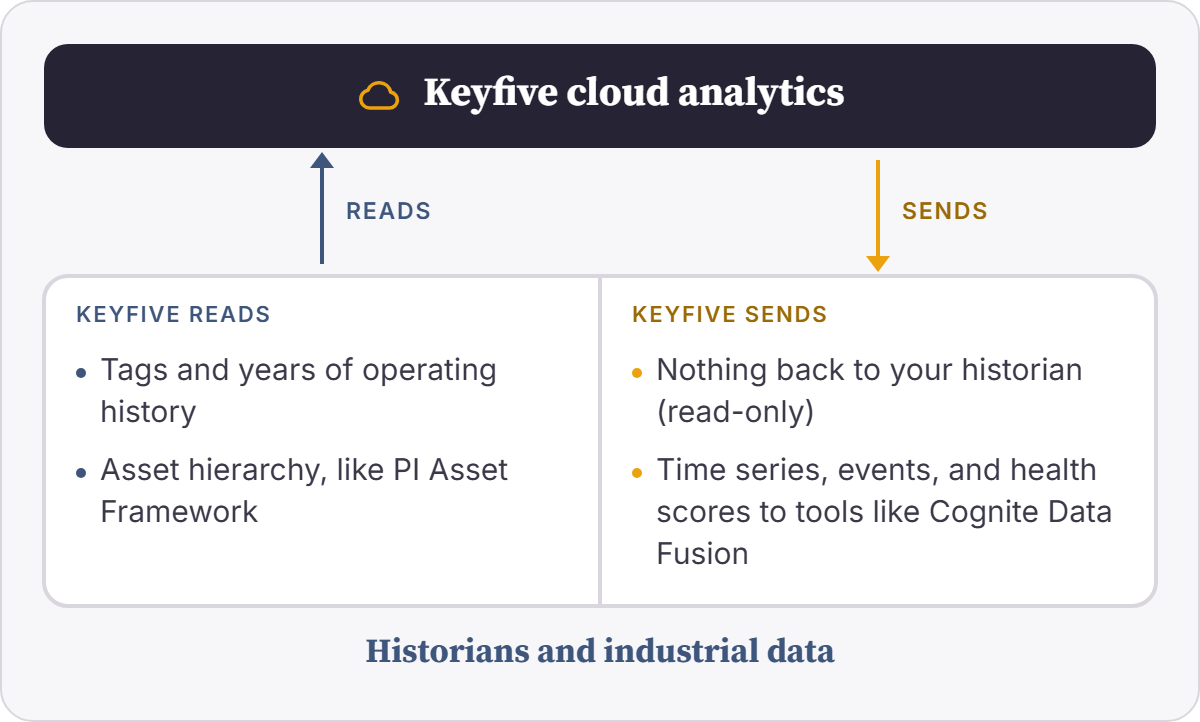
Keyfive can read the tags, asset structure, and years of history in your historian and learn how each asset normally behaves. It can add data from generators, batteries, and meters that never made it into the historian. The connection is read-only, so nothing in your archive changes. Keyfive can also send organized time series, events, and health scores to industrial DataOps tools like Cognite Data Fusion.
Common systems: AVEVA PI System, including PI Asset Framework, Canary Historian, Kepware KEPServerEX, and Cognite Data Fusion
Data warehouse and BI integration
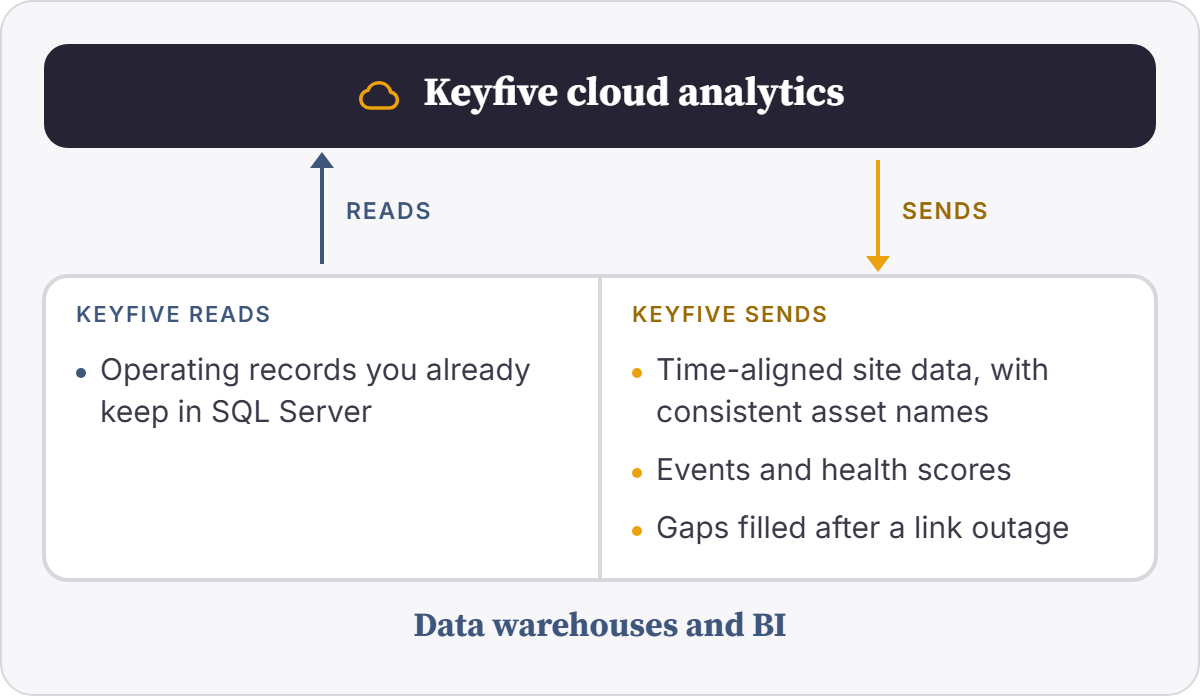
Keyfive can deliver clean site data to the SQL Server tables or Snowflake account your analysts already use. The data arrives lined up on the same time stamps, with consistent asset names, events, and health scores. Keyfive can also read operating records you keep in SQL Server. It writes only to the tables you approve, under your access rules, and it can fill gaps after a link outage.
Common systems: Microsoft SQL Server and Snowflake
Don’t see your system?
The systems above are common examples, not a complete list. Keyfive’s data architecture is flexible, so we can connect to the historians, databases, and analytics tools you already run. If your system isn’t listed, we can scope a connection for it during onboarding.
What you get.
History put to work
Keyfive can build its baselines from the years of data you already have.
One view of the whole site
Historian tags, equipment data, and other sources line up on the same time stamps, with consistent asset names.
Clean data where analysts work
Analysts get clean operating data in the warehouse and BI tools they already use.
EXAMPLE
What this could look like in practice.
Take a plant operator with years of data in AVEVA PI, backup generators that report to a separate OEM portal, and analysts who build monthly reports in SQL Server. Here’s how the same data could be used with and without Keyfive connected.
| Without Keyfive | With Keyfive | |
|---|---|---|
| Using your history | Years of PI data mostly get opened after a failure, to reconstruct what went wrong. | Keyfive can learn each asset’s normal behavior from that history and watch for drift. |
| Seeing the whole site | Generator data sits in a separate OEM portal that never reaches PI. | Keyfive can show PI tags and generator data side by side, on the same time stamps. |
| Spotting the problem | Nobody has time to watch thousands of tags, so early warning signs get missed. | Keyfive can flag the drift with the trend and related tags attached. |
| Reporting | Analysts stitch reports together from several exports whose time stamps don’t line up. | Keyfive can deliver clean data, already lined up by time, to the tables their reports use. |
Illustrative example. Your setup depends on the systems you run and the rules you choose.
Frequently Asked Questions
-
No. Your historian stays the system of record. Keyfive reads from it and adds reliability and energy analytics on top.
-
No. Keyfive reads from historians and connectivity servers like Kepware. It only writes to the databases and warehouses you approve.
-
Yes. Keyfive can map PI Asset Framework elements, or tags from Canary or Kepware, to its model of your equipment, so the structure your engineers built carries over.
-
Keyfive can backfill the history it needs to build baselines, then follow new data as it arrives.
-
Yes. Keyfive writes into your own database or Snowflake account, under your access rules.
-
Keyfive can deliver data on the schedule your reporting needs, down to near real time.
-
Keyfive can manage it for you, or your team can own parts of it with our support.
Find out what your operating history can do.
Tell us about your operation: a fleet you're trying to instrument, a compliance gap you're tired of patching, or an asset that costs you every time it goes down. We'll deliver a free assessment, providing a snapshot of how our engineers approach and solve problems like yours.
All product names are trademarks of their respective owners.