
NERC GADS reporting and run-hour logs from your equipment data.
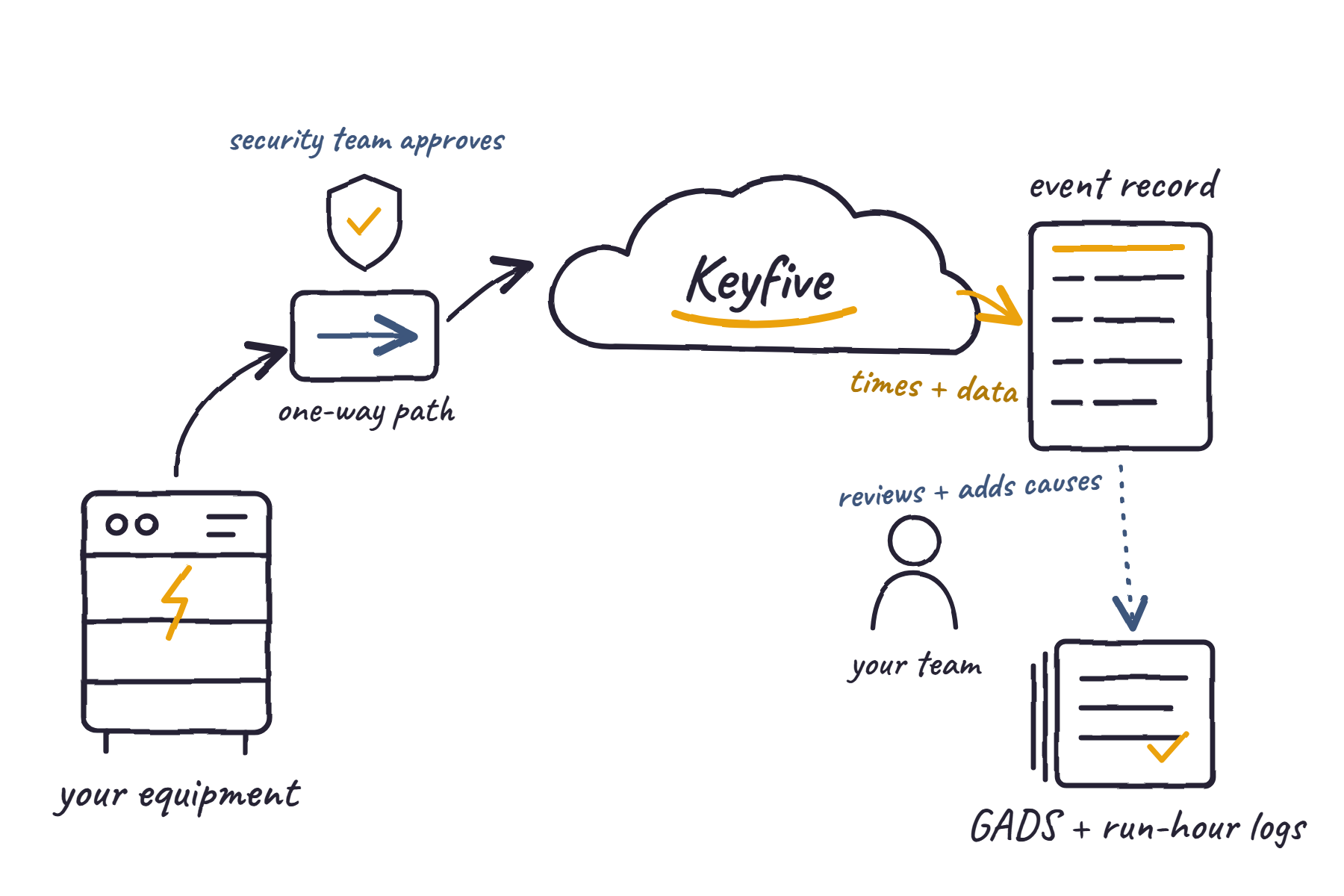
Keyfive can turn the outages, derates, and run hours it already sees in your equipment data into records your reporting team can review. It connects to your operational technology (OT) network only through the paths your security team approves.
How does compliance reporting and OT security integration work?
Keyfive works alongside the reporting tools and OT security systems you already run. It keeps a time-stamped record of what your equipment did, and your team decides what goes into each report.
Jump to: Regulatory reporting · OT security
Regulatory reporting integration
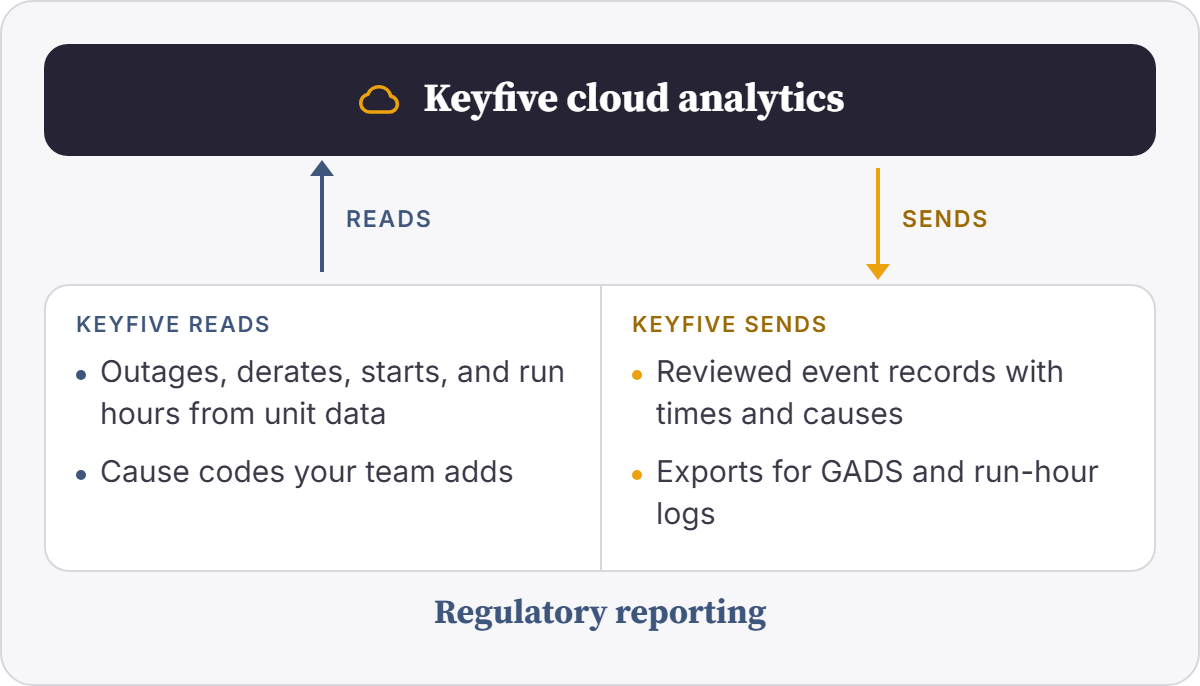
Keyfive can capture outages, derates, starts, and run hours straight from the equipment it monitors, along with the start time, end time, and data behind each event. Your reporting team starts from a complete record instead of rebuilding one. They can review each event, add cause codes, and export what they need for NERC Generating Availability Data System (GADS) reporting or the run-hour logs your air permits call for. Keyfive can also flag a meter or sensor that’s drifting, so you can check it before its readings go into a report.
Common systems: NERC GADS reporting, EIA forms, and emissions and run-hour logs
OT security integration
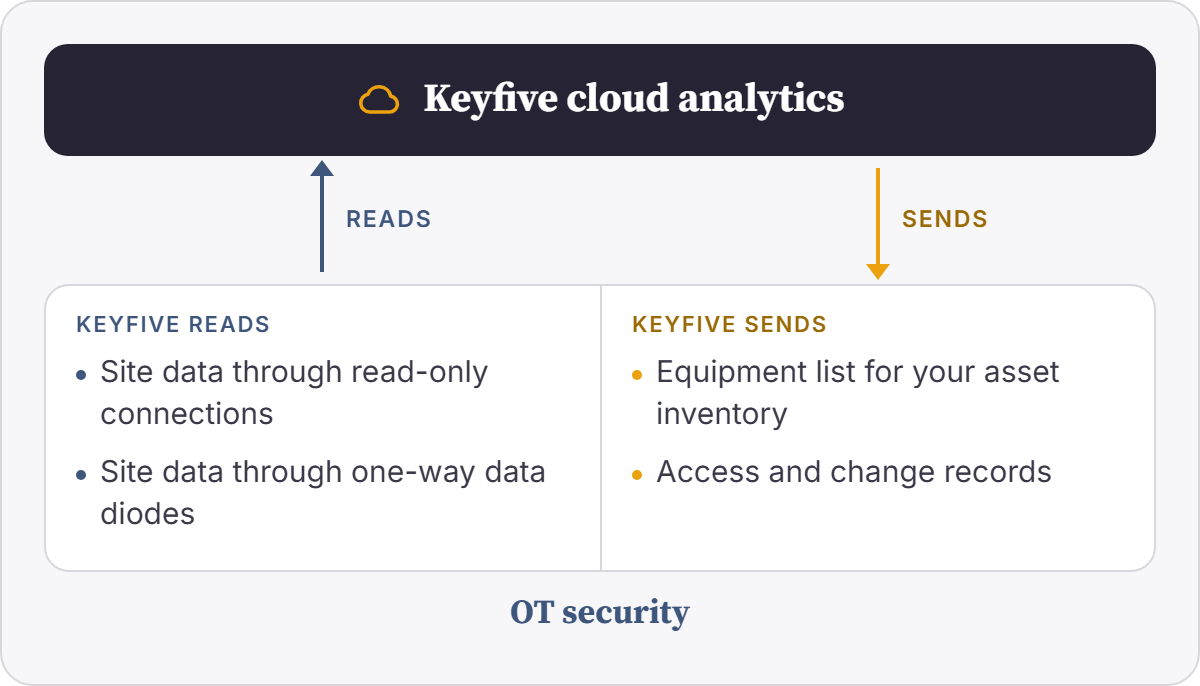
Your security team decides what can reach the control network, and any new connection has to fit their rules. Keyfive can read site data through the path they approve: a read-only connection, where Keyfive reads values but doesn’t write them, or a one-way data diode, where data can only leave the control network. Because Keyfive already sees the equipment at your site, it can share that equipment list with your OT security monitoring tool, so your security team has another check on what’s connected. Access is set by role, and Keyfive can record who changed what and when.
Common systems: Waterfall Security and Owl Cyber Defense data diodes, Claroty, Nozomi Networks, and Dragos
Don’t see your reporting or OT security system?
The systems above are common examples, not a complete list. Keyfive’s data architecture is flexible, so we can connect to the reporting tools and OT security systems you already use. If your system isn’t listed, we can scope a connection for it during onboarding.
Benefits of building NERC GADS reports from equipment data.
Records that start from the equipment
Keyfive can capture events from unit data, so your reports don’t depend on someone remembering to write them down.
Your team signs off
Your team reviews each event and decides what goes into the report.
Connections your security team approves
Keyfive reads through the paths your security team chooses, and monitoring stays read-only.
EXAMPLE
A quarter of NERC GADS reporting built from unit data.
Take a generation owner whose reporting team builds quarterly GADS files from operator logs and emails. Here’s how the same quarter could come together with and without Keyfive connected.
| Without Keyfive | With Keyfive | |
|---|---|---|
| Catching the event | An operator notes the outage in a log or an email, and some events never get written down. | Keyfive can capture outages and derates from unit data as they happen. |
| Getting the times right | Start and end times get rounded, or pieced together weeks later. | Keyfive can keep the start and end times recorded in the unit data. |
| Building the report | The reporting team rebuilds the quarter from logs, emails, and spreadsheets. | Your team can review each event, add cause codes, and export the data. |
| Answering questions later | Someone digs through old files to explain an entry. | Keyfive can show the equipment data behind each event. |
Illustrative example. Your setup depends on the systems you run and the rules you choose.
NERC GADS reporting and OT security FAQs
-
The Generating Availability Data System (GADS) is NERC’s database of generator outages, derates, and performance. Generator owners that meet NERC’s reporting thresholds submit data to it every quarter. Keyfive can capture those events from unit data, so your team starts each report from a complete record.
-
No. Your team reviews the data and submits each report.
-
No. Keyfive keeps the equipment records behind your reports. Your team decides what they mean and signs off on them.
-
Yes. Your team can add cause codes and adjust events before anything is exported.
-
Outages, derates, starts, and run hours that Keyfive can detect in the equipment data it monitors.
-
Monitoring and reporting are read-only. If you add Energy Intelligence for control, it’s embedded in your site systems and scoped with your security team.
-
No. Your security tools watch the network. Keyfive watches how your equipment runs, and it can share its equipment list with them.
-
Keyfive can manage it for you, or your team can own parts of it with our support.
Find out what your equipment data can do for your reports.
Tell us about your operation: a fleet you're trying to instrument, a compliance gap you're tired of patching, or an asset that costs you every time it goes down. We'll deliver a free assessment, providing a snapshot of how our engineers approach and solve problems like yours.
All product names are trademarks of their respective owners.